| Red Hat Documentation |
 |
Fun with Numbers in chmodRemember when we made a reference to the "shorthand" method of chmod? Here's another way to change permissions; it may seem a little complex at first - especially if math isn't your strong suit. Let's go back to the original permissions for sneakers.txt.
Each permission setting can be represented by a numerical value:
When these values are added together, the total is used to set specific permissions - more specific than changing permissions with the alphabetical "shorthand." In sneakers.txt, then, here are the numerical permissions settings:
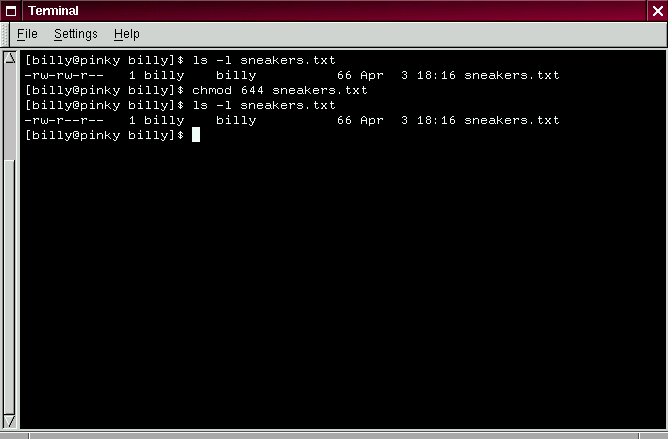
The total for the user is six, the total for the group is six and the total for others is four. The permissions setting, then, is read as 664. If we want to change sneakers.txt so those in our group didn't have write access, but could still read the file (as shown in Figure 3-20), we'll have to remove the access by subtracting 2 from that set of numbers. The numerical values, then, would become six, four and four -- or 644. So we can type:
Let's check our changes by listing the file (ls -l sneakers.txt):
And there it is; now, neither the group nor others have write permission to sneakers.txt. To return the group's write access for the file, we can just add the value of w (2) to the second set of permissions.
Here's a list of some common settings, numerical values and their meanings:
Here are a couple common settings for directories:
You've already come quite a distance in learning about your Red Hat Linux system -- from navigation to setting and changing permissions. Now, it's time to learn a little more about managing what you have on your system. |
|