| Red Hat Documentation |
 |
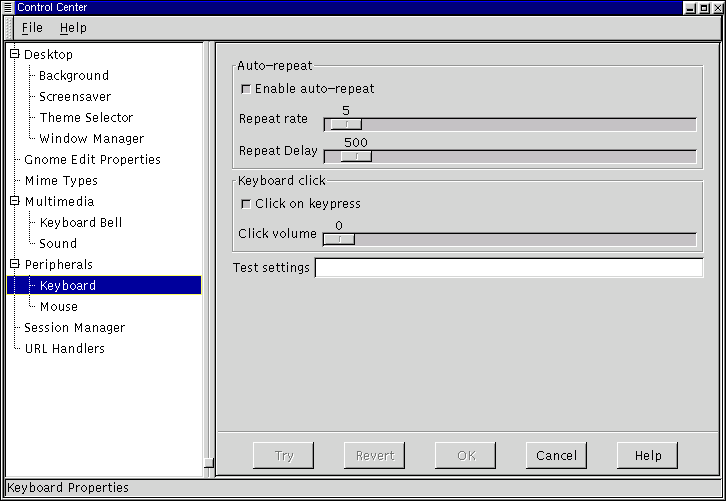
PeripheralsThe capplets in this section of the Control Center will help you configure hardware input devices including keyboard, and mouse properties. The Keyboard Properties CappletThere are currently two settings for the keyboard in this capplet. You may change the properties of Auto-repeat and the Keyboard Click. Auto-repeat enables you to hold a key down and have it repeat the character at the rate and delay you set in this capplet. Keyboard Click enables a small click sound to play at each key press. Figure 17-11. The Keyboard Properties Capplet
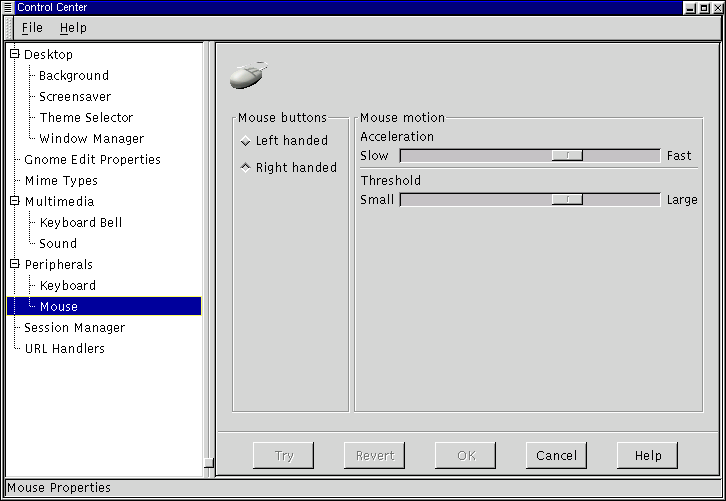
The Mouse Properties CappletThe Mouse Properties capplet allows you to change between left and right handed mouse buttons and to define the Accelerations and Threshold properties. The Accelerations setting allows you to change the speed the mouse moves across the screen in relation to the movement of the mouse on your mouse pad. The Threshold setting allows you to set the speed at which you have to move your mouse before it starts the acceleration speed you have defined in the Acceleration setting. Figure 17-12. The Mouse Properties Capplet
|
|
||||||