|
|
|
|
|
|||
|
|||
|
|
|
|
|
|
|
|
|
 |
 |
|
|
|||
| Red Hat Documentation |
 |
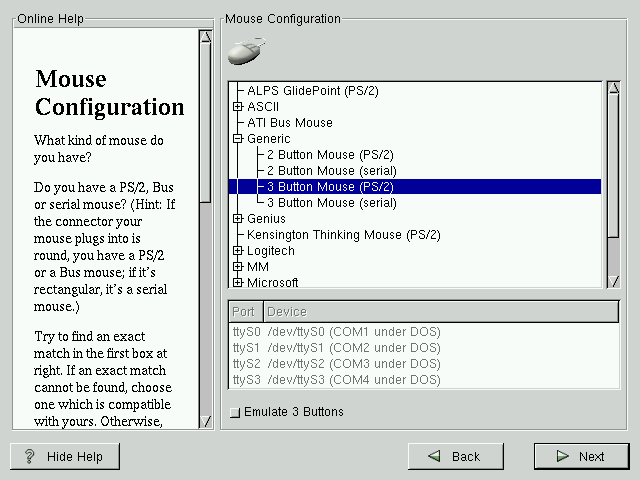
Mouse ConfigurationChoose the correct mouse type for your system. If an exact match cannot be found, choose a mouse type that you are sure is compatible with your system (see Figure 5-3). To determine your mouse's interface, follow the mouse cable back to where it plugs into your system. If the connector at the end of the mouse cable plugs into a rectangular connector, you have a serial mouse; if the connector is round, you have a PS/2 mouse. If you cannot find a mouse that you are sure is compatible with your system, select one of the Generic entries, based on your mouse's number of buttons, and its interface. If you have a PS/2 or a Bus mouse, you do not need to pick a port and device. If you have a serial mouse, you should choose the correct port and device that your serial mouse is on. The Emulate 3 Buttons check box allows you to use a two-button mouse as if it had three buttons. In general, it's easiest to use the X Window System if you have a three-button mouse. If you select this check box, you can emulate a third, "middle" button by pressing both mouse buttons simultaneously.
|
|
||||||||||
|
© 2001 Red Hat, Inc. All rights reserved. About Red Hat : Legal statement : Privacy statement : Y2K statement : Contact Red Hat |