The GNOME File Manager allows you to launch applications from the main
window by simply double clicking your mouse on a file which has an
application associated with it. You can change the way file types are
handled by reading the section called GNOME Mime Types in Chapter 17
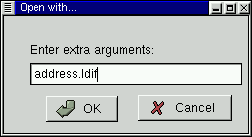
If the file does not have an associated application you can right mouse
click on the file and select from the
menu. This will bring up a dialog which
that you to define the application which will launch the file. For example,
if you want to edit a file names test.txt with
Emacs (a popular text editor) you can right mouse
click on test.txt and choose . When you
get the Open with dialog box simply type in emacs in front of the test.txt
file name. When you press OK
Emacs will open the file.



 Download