| Red Hat Documentation |
 |
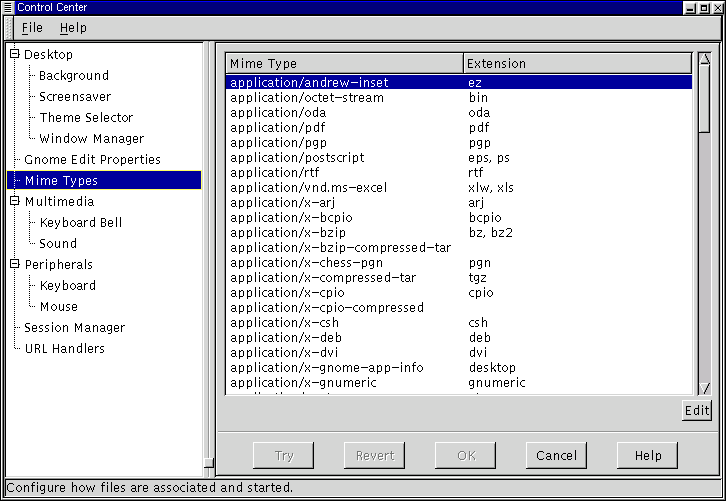
GNOME Mime TypesThe GNOME Mime Types Capplet allows you to determine how you wish to handle certain file types, or Mime types. Mime stands for Multipurpose Internet Mail Extensions and was originally developed to allow email to carry various forms of data. In GNOME you can define certain Mime types to be handled in any manner you wish. For example, if you use .sgml files frequently and you wish to always use Emacs to edit them you can configure the .sgml Mime type to always be handled by Emacs. This means that any program that wishes to launch the mime type for you will bring up Emacs. This includes double clicking on the file type in the GNOME File Manager. Figure 17-8. The GNOME Mime Types
To add a new mime type press the Add button. This will display the Add New Mime Type dialog in which you may define the new Mime type. To edit an existing Mime type you may select the Mime type with your mouse cursor and press the Edit button. This will bring up the Set Actions for... dialog. You may define the icon used for the Mime type, the Open action, the View action and the Edit action. |
|
||||||