Download
 Online Shop
 Red Hat Network
|
|
|
Download
Online Shop
Red Hat Network
|
|
|
||
|
||
|
|
| Red Hat Documentation |
 |
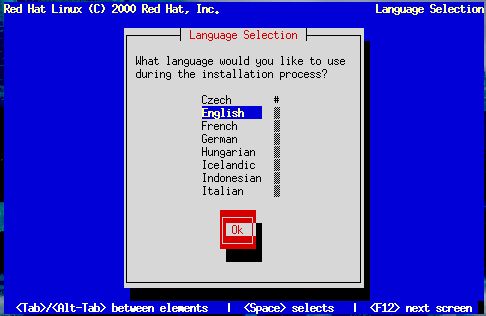
Choosing a LanguageUsing the Up and Down arrow keys, select the appropriate language for both the installation program and the system default, and press Enter (Figure 10-3). A scroll bar appears to the right of the list. This indicates that there are more entries than can be displayed in the available space at once. You'll see other scroll bars like this throughout the installation program. | ||||||
|
|
|
|
|