Download   Online Shop   Red Hat Network
Home  |  Products & Services  |  Support  |  Training  |  Partners  |  Documentation   
Red Hat Documentation

Folders

Folders

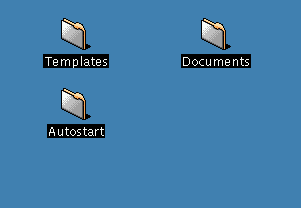
When you first start KDE, you'll see "file folders" on your desktop. Among the more important folders are Templates and Autostart (see Figure 3-3).

Figure 3-3. File Folders on the Desktop

To open a folder, single-click on it with your left mouse button.

In the Autostart folder, you can drag and drop applications which you would like to open or start automatically when you begin your KDE session.

In the Templates folder, you'll find basic file-types which you can use to drag onto your desktop or into other folders, then customize to suit your needs (see Figure 3-4).

Figure 3-4. A View of the Templates Folder

Among the templates you can choose are:

  • Ftpurl -- Creates a link to FTP sites. (FTP stands for File Transfer Protocol, a means of exchanging files, such as on the Internet.) Single-click on the link to access the site.

  • Mime Type -- Creates a link to an application or text file. (MIME means Multipurpose Internet Mail Extensions; they're used to describe different data so that the operating system knows how to work with it when that data is selected.) You won't require this template often, since many MIME types are already available with KDE.

  • Program -- Creates a link to start a program.

  • URL -- Creates a link to a favorite website, like a detachable bookmark.

To use these templates, left-click on your chosen template, drag it to your desktop or into another folder, then customize it with the appropriate name and information.


Search for:  on    Powered by Google
Products & Services   :   Download   :   Support   :   Training   :   Partners & Programs
© 2000 Red Hat, Inc. All right reserved.       About Red Hat   :   Legal statement   :   Privacy statement   :   Y2K statement   :   Contact Red Hat