| Red Hat Documentation |
 |
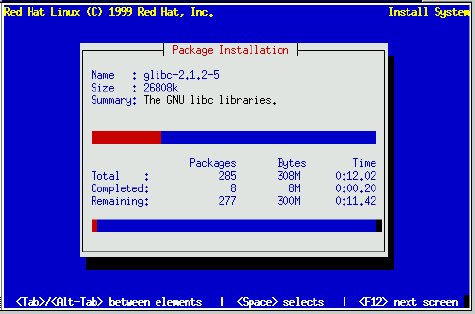
Package InstallationFigure 8-40 appears when the install program is ready to format partitions and load software packages. The dialog names the log file (/tmp/install.log) for this Red Hat Linux installation. Select Ok and press Space to continue. While software packages are loading, a screen like Figure 8-41 appears. As each software package starts to load, the top part of the Package Installation screen displays its name, size, and a summary description of its function. In the bottom part of the Package installation screen, the Total row shows the total number of packages to be loaded, the total size of all packages, and the amount of time required to load all packages. As each package begins and completes loading, the Completed and Remaining rows are updated. If you're doing a Server installation, this is the last step; go to the section called Finishing Up. |
|
||||||