Download
 Online Shop
 Red Hat Network
|
|
|
Download
Online Shop
Red Hat Network
|
|
|
||
|
||
|
|
| Red Hat Documentation |
 |
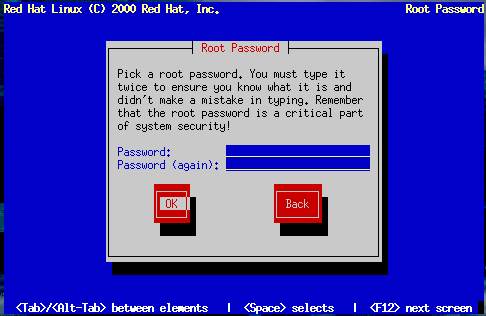
Setting a Root PasswordThe Root Password dialog prompts you to set a root password for your system. You'll use the root password to log into your Red Hat Linux system to perform system administration functions. The root password must be at least six characters long; the password you type is not echoed to the screen. You must enter the password twice; if the two passwords do not match, the installation program will ask you to enter them again.
| ||||||||
|
|
|
|
|